
Admin Guide overview
This guide is for the people who run a Spantail instance and its workspaces: instance admins who manage the whole deployment, and workspace owners and admins who manage a single workspace and its projects and members.
Everything here is done from the Settings hub. Day-to-day usage — logging work, viewing timelines, and composing reports — lives in the User Guide. Installing and deploying the instance lives in the Setup Guide.
Who can administer what
Section titled “Who can administer what”Spantail separates instance administration from workspace administration. A person can hold both.
| Role | Where it comes from | What it manages |
|---|---|---|
| Instance admin | The first signed-up user, plus anyone later granted the flag | Users, email, social login, the agents feature, and any workspace's settings/projects/members. Instance-scoped. |
| Template author | A per-user capability | Instance-wide report templates, without being an instance admin. |
| Workspace owner | The user who created the workspace | Everything an admin can, and cannot be removed or demoted below the last admin. |
| Workspace admin | A workspace role | That workspace's settings, projects, and members. |
| Workspace member | A workspace role | Nothing administrative — can read the workspace and log work. |
Admins manage the containers (workspaces, projects, members, instance settings), never a user's own data. Reports, API tokens, agents, and account settings are self-service: even an instance admin cannot edit another user's reports or tokens. Secrets are never shown to anyone.
Reaching the settings
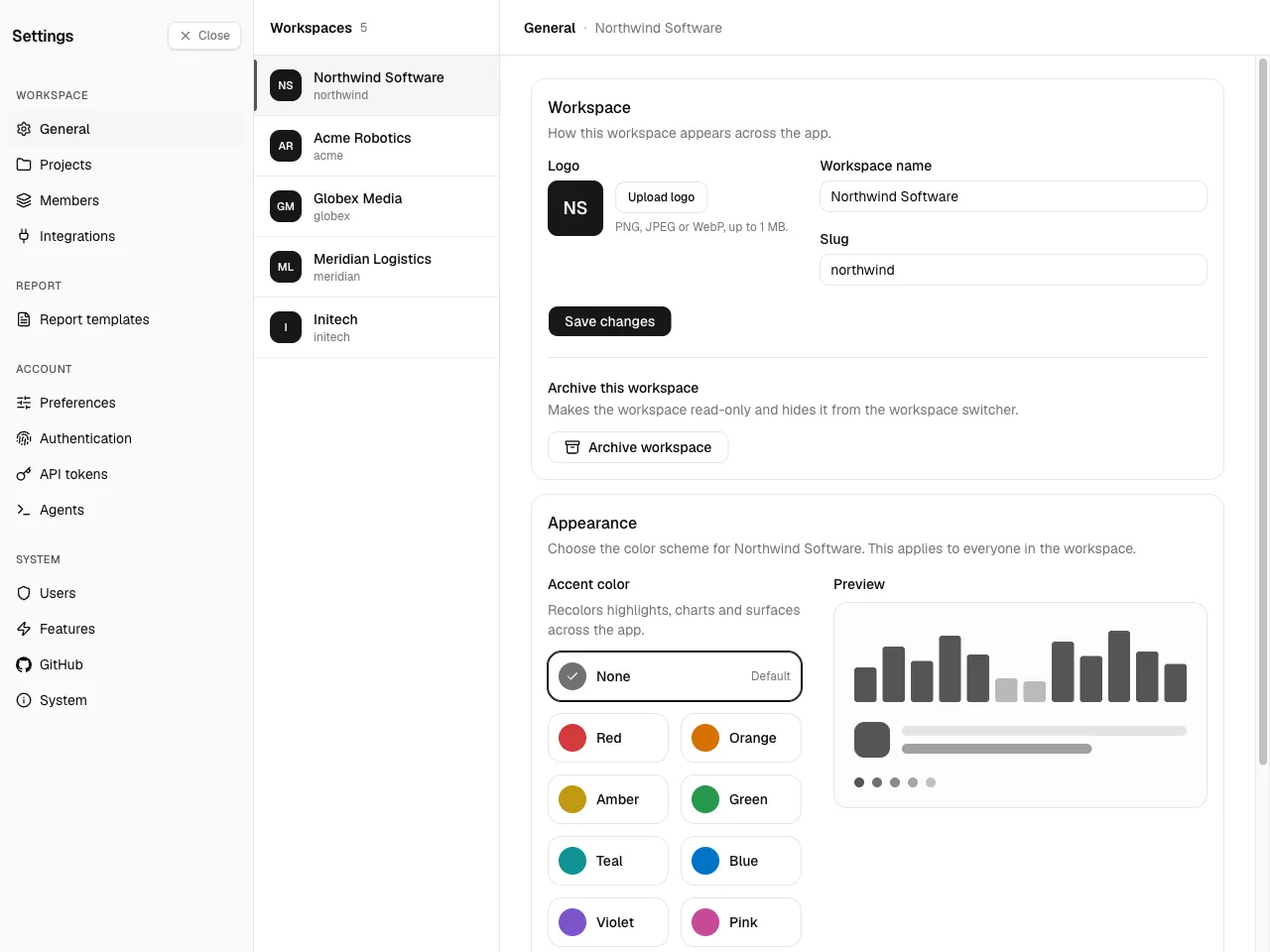
Section titled “Reaching the settings”Open the Settings cog pinned at the bottom of the sidebar. The Settings hub groups every management section in a left sub-nav:
- Workspace — General, Projects, Members, Integrations (workspace owner/admin)
- Account — your own preferences, authentication, API tokens, agents (self-service)
- Report — Report templates (instance admin or template author)
- System — Users, Features, GitHub (instance admin only), and System (its About info is visible to everyone)
What this guide covers
Section titled “What this guide covers”Workspace administration — manage a single workspace:
- Workspace settings — name, URL, and logo
- Projects — create, edit, archive, and staff projects
- Members & roles — add members and set their role
Report administration — the instance-wide report formats (instance admin or template author):
- Managing templates — manage the list, the starter, and the default
- Editing templates — write a template's Markdown + Liquid body
Instance administration — manage the whole deployment (instance admin):
- User management — create or invite users and grant capabilities
- System settings — the Features page (email, social login, the agents feature, realtime updates) and the System info page
First-time deployment — provisioning Cloudflare, configuring secrets, and creating the first admin — is covered separately in the Setup Guide.