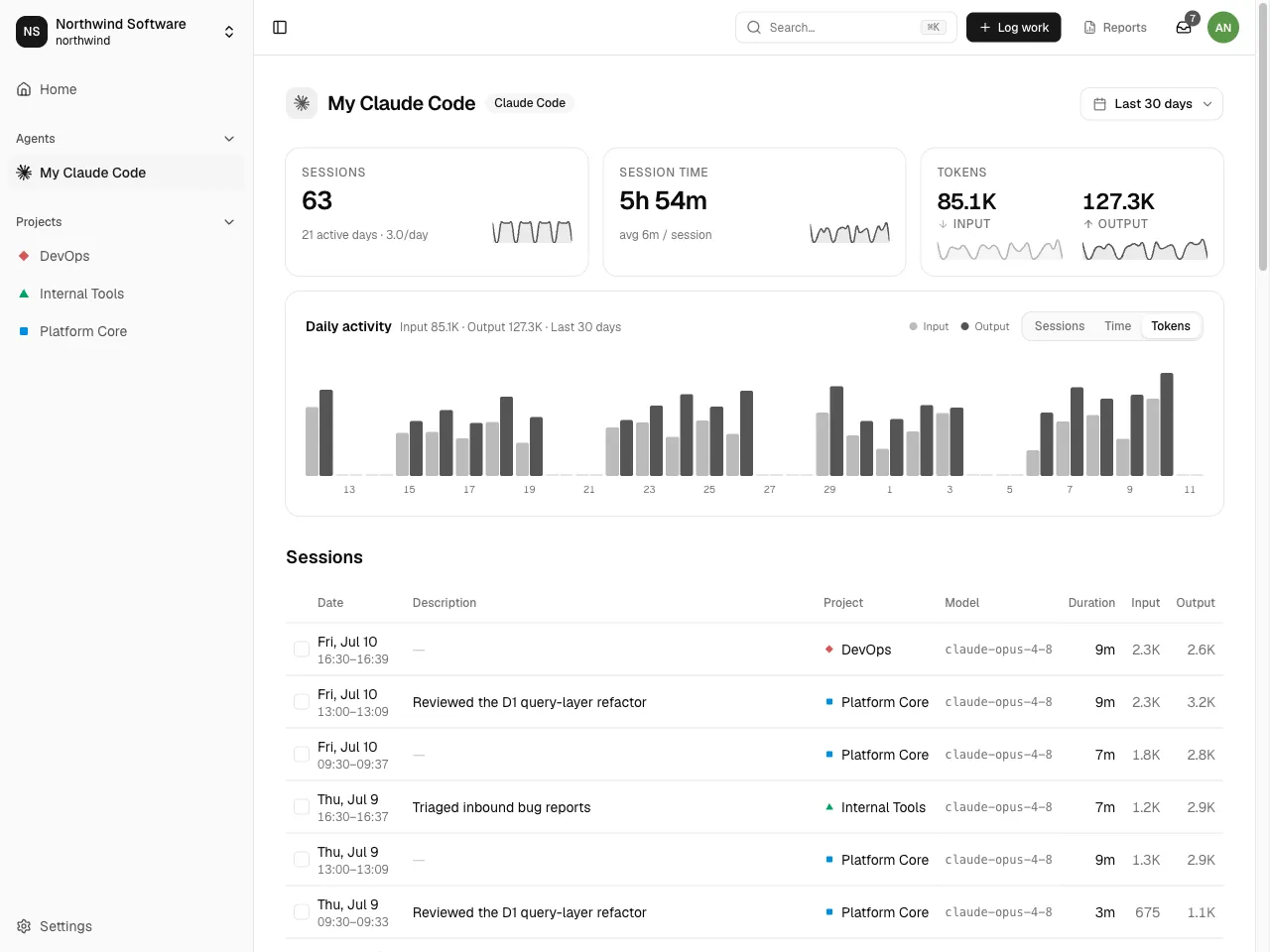
Capturing agent activity
Spantail can capture what your AI agents do — coding sessions, tool calls, token usage — and surface it next to your work: on each agent's activity page, and in the detail panel of any work entry the sessions are linked to. Activity is captured per session: each session carries its own duration and token usage, and sessions are grouped by agent.
:::note Agent ingest must be enabled for the instance by an administrator. If you don't see the Agents settings described below, ask your instance admin. :::
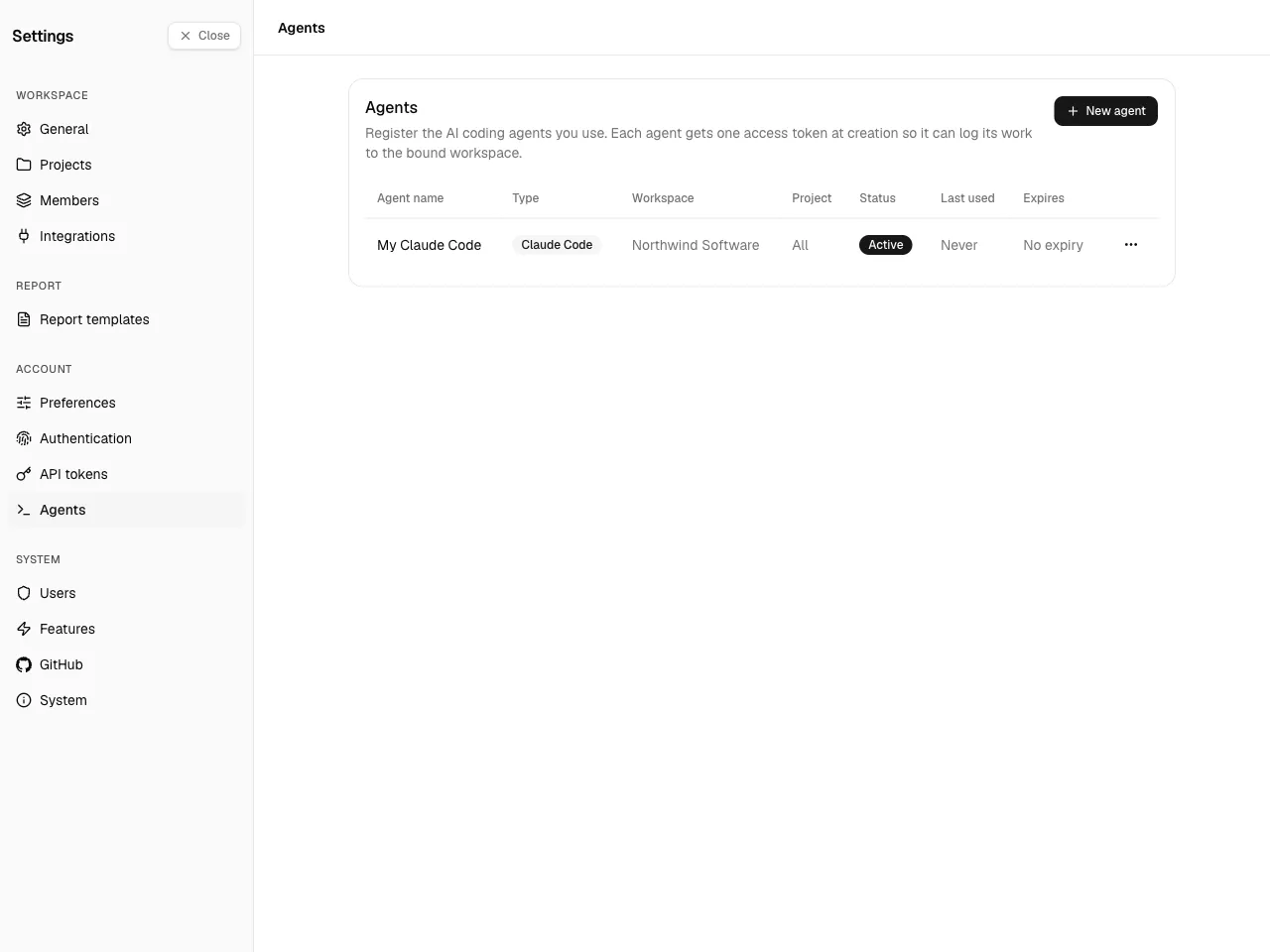
Register an agent
Section titled “Register an agent”Open Settings → Agents (under Account) and create an agent. Each agent has a type (currently Claude Code), a name, and an optional token expiry — nothing more. Which workspace and project a session lands in is decided per repository at ingest time, not on the agent.
You can enable or disable an agent at any time.
Get the agent token
Section titled “Get the agent token”Each agent has one agent access token — a write-only, ingest-only credential. It can only send agent activity; it is not accepted for the CLI, MCP, or the rest of the API (those use a personal API token and act as you). Copy the agent token when you register the agent and store it securely; it is scoped to your workspace membership and is checked on every ingest.
Send activity
Section titled “Send activity”Using the agent token, your agent posts its turns to the ingest endpoint
(POST /api/v1/agent-events), and Spantail rolls them up into sessions. For
Claude Code the easiest path is the dedicated Claude Code plugin — see
Claude Plugin — which captures sessions
automatically. Other agents send activity programmatically through the
ingest API.
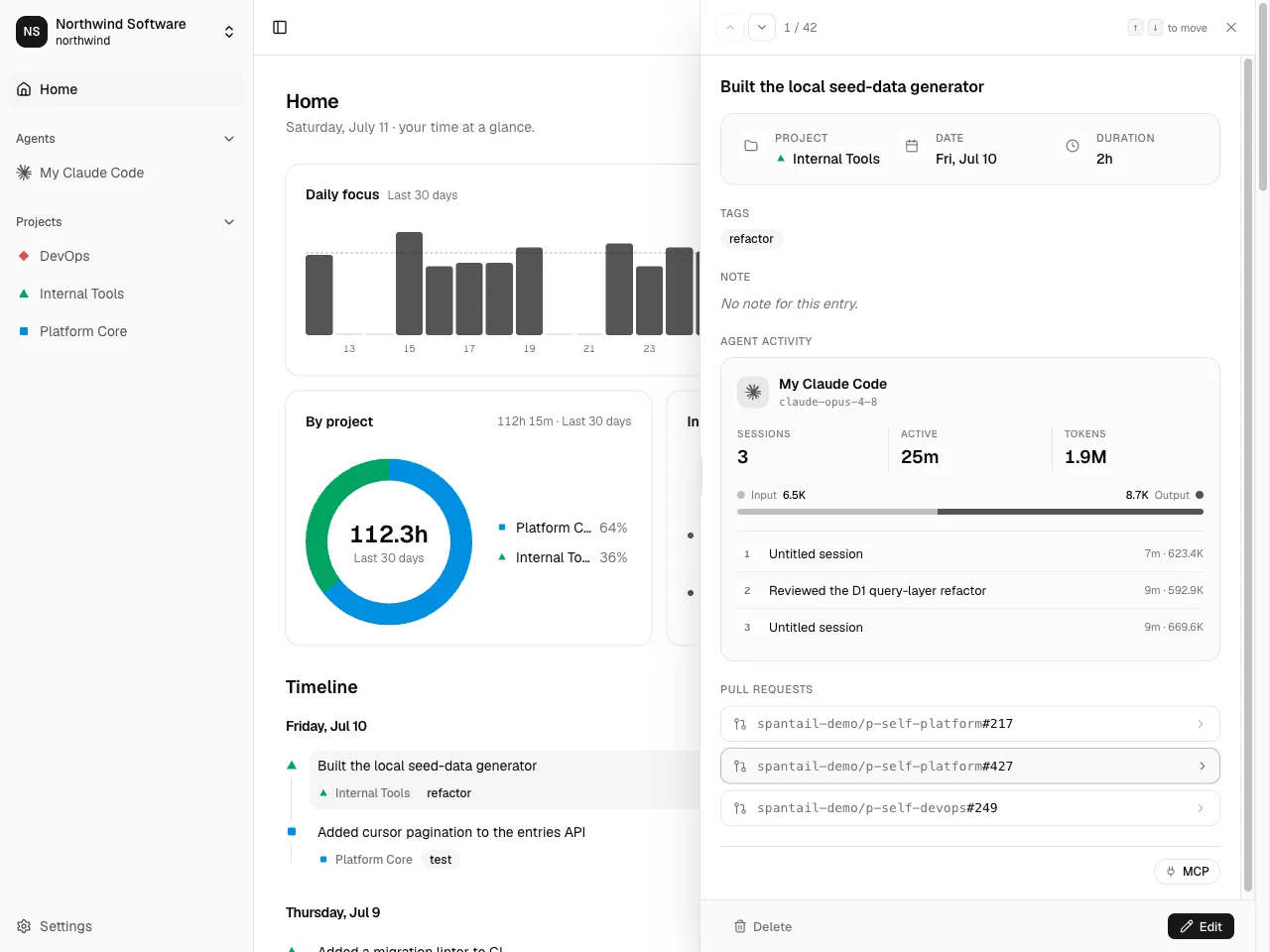
Captured sessions link to the work they relate to: open a work entry and its detail panel shows an agent activity card with the linked sessions, token split, and pull requests.
Review agent activity
Section titled “Review agent activity”Open an agent's activity page to see its sessions over a date range, with stats, a per-project breakdown, and token usage. This is a read-only rollup — the raw per-turn telemetry is not shown.
Click a session row — or select it with J / K and press O — to open its details in a panel docked at the right edge: project, date, and duration; a usage card with the event count, active time, and tokens, the input/output split, and the per-bucket token breakdown; the repositories, branches, and references the session touched; and the session id. Move through sessions with ↑ / ↓ (or the panel's prev/next buttons) without reopening, and press Esc to close.